

Billing & subscription
This article will explain how to subscribe, cancel and manage the paid features of Hero Blue.
Instructions
Section titled “Instructions”-
Head to https://portal.heroblue.com.au/
-
Click “Settings” on the side bar.
-
Click “Billing & Subscription” on the side bar.
-
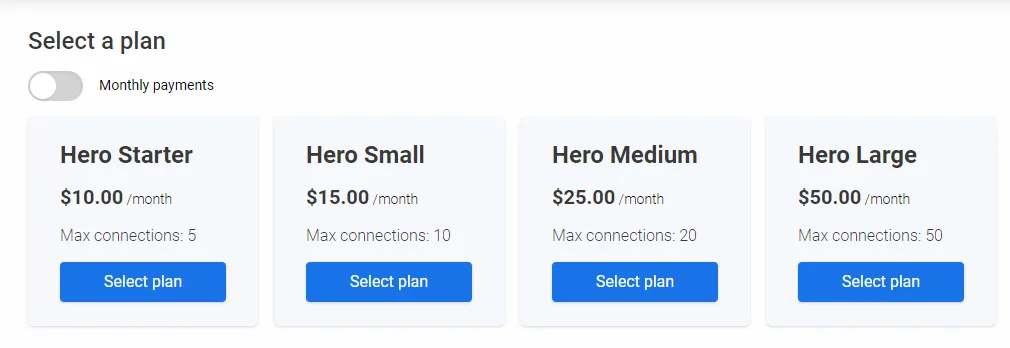
If you have not previously selected a paid plan you will be presented with the following screen where you can select a plan and toggle between our monthly and yearly prices.
-
Click the select plan button on the plan you desire.
-
You will then be redirected to our stripe integration where you can enter your payment details, any promotional codes and subscribe to Hero Blue. All payment details are handled directly by stripe and you can cancel at anytime.